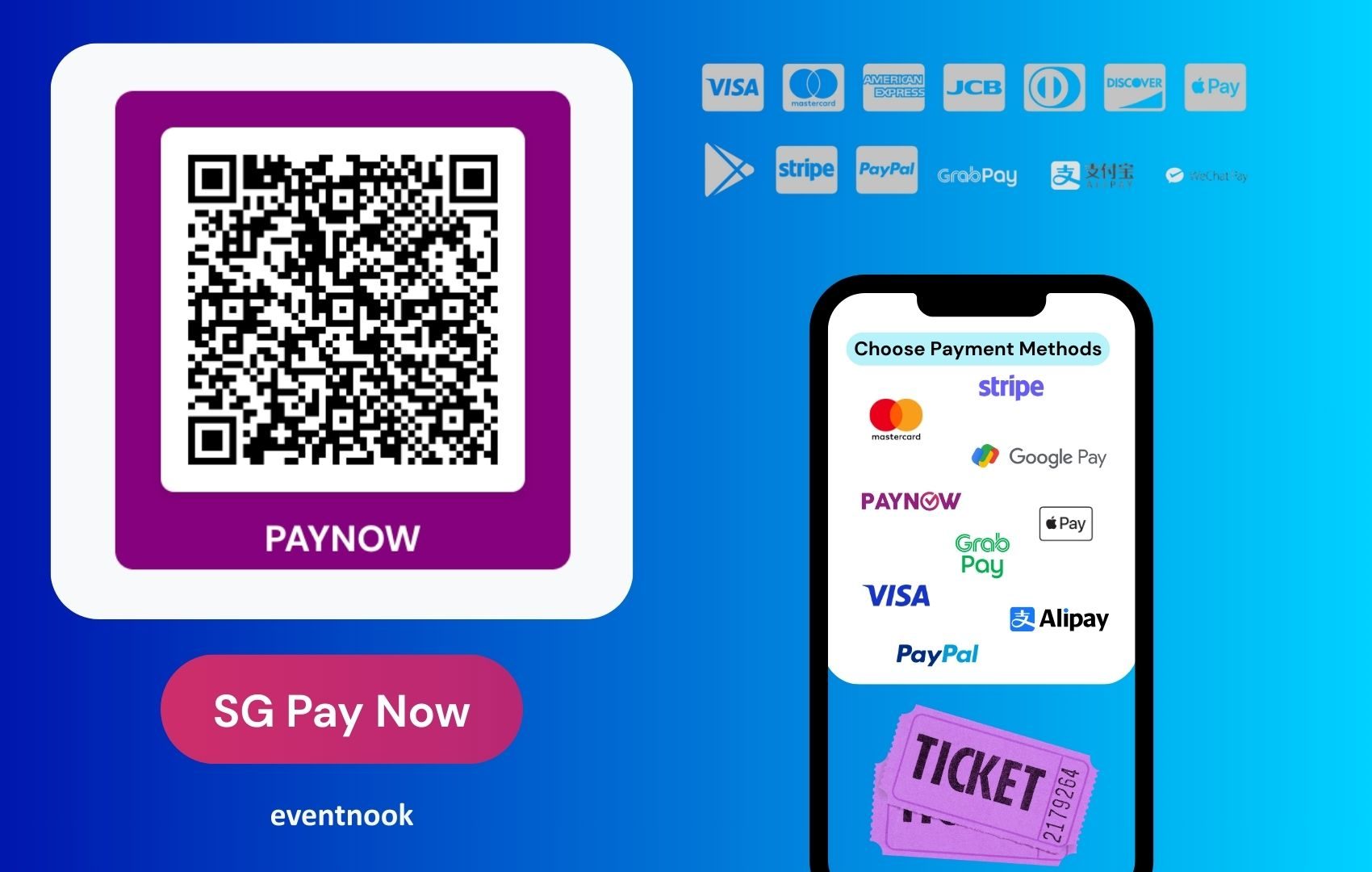
We’re excited to roll out a new payment option that’s going to make event payment collection faster, easier, and completely local — EventNook now supports PayNow SG QR Code payments!
Whether you're organising a large-scale conference, a hands-on workshop, or a community event, this feature gives you a seamless and cost-effective way to collect payments directly from your attendees — with no transaction fees.
How It Works
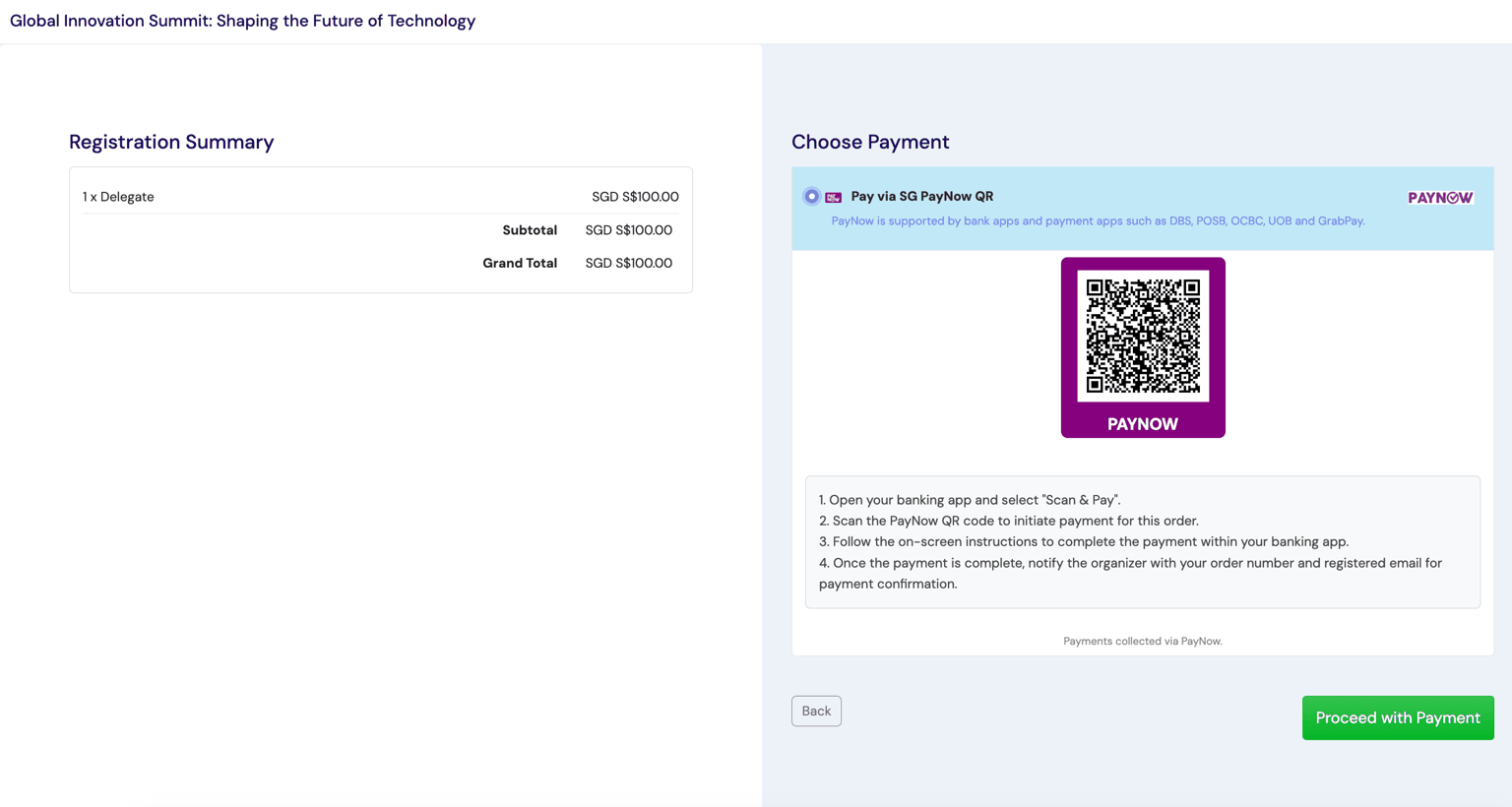
At the payment checkout page, EventNook automatically generates a unique SG QR code for each order based on:
- The total order amount
- Your PayNow UEN (Unique Entity Number)
- The order number
Attendees simply scan the QR code using any major Singapore banking app (e.g., DBS, OCBC, UOB) and make payment on the spot.
It’s fast. It’s secure. And the funds go directly into your account.
Why Organisers Love It
✅ Zero transaction fees – keep your full ticket revenue
✅ No chargebacks – payments are direct and confirmed
✅ Fast and secure – powered by Singapore’s trusted bank network
✅ Instant transfer – receive payments in real time
This is a great fit for organisers who want full control over their event revenue while offering a familiar and frictionless payment method for attendees.
How to Enable PayNow SG QR Code on EventNook
Setting it up is simple:
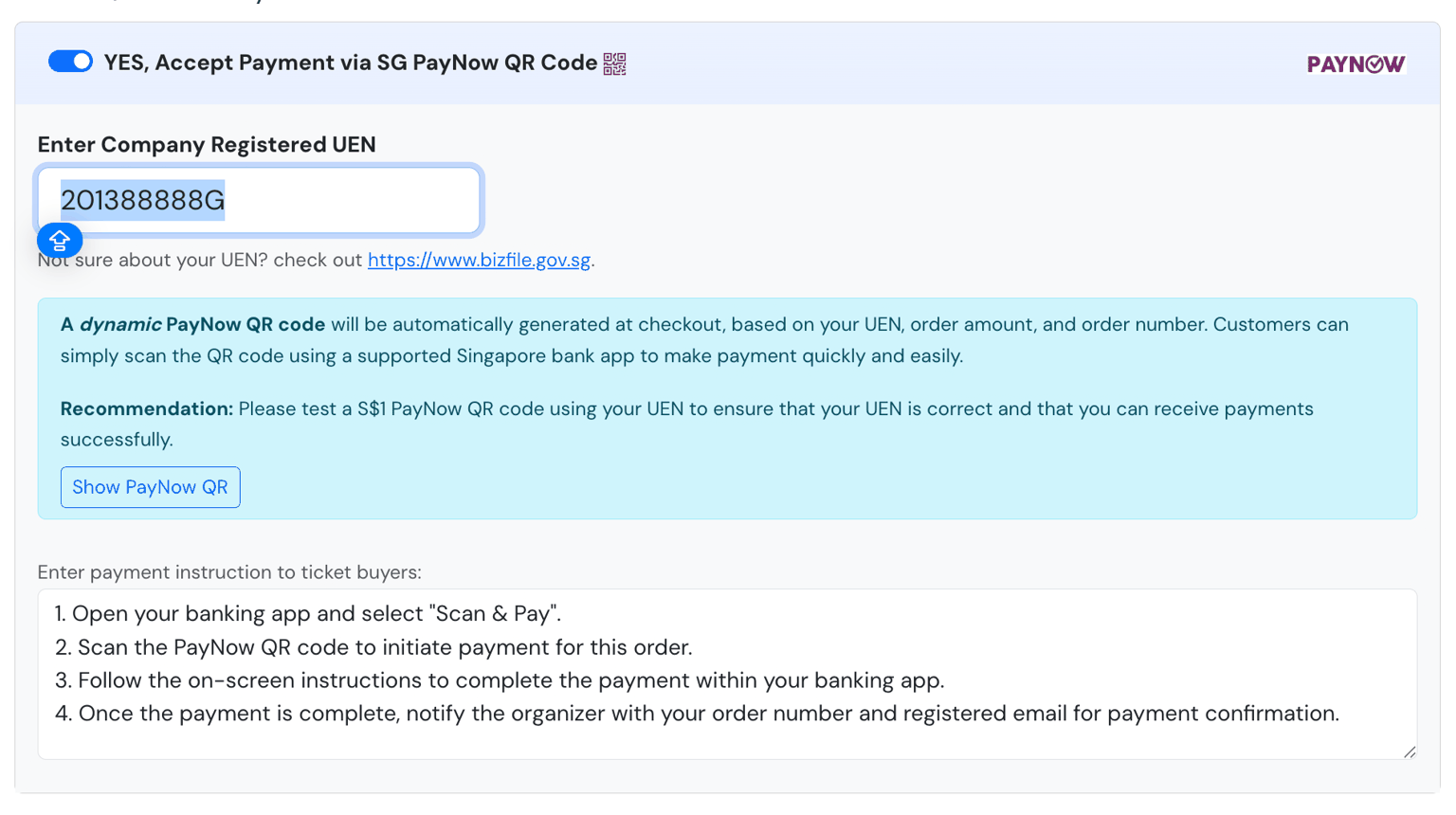
- Go to Currency & Payment Settings in your event setup.
- Toggle on “YES, Accept Payment via SG PayNow QR Code”.
- Enter your UEN number registered with PayNow.
- (Optional) Add your own custom instructions for attendees, like deadlines or reference notes.
📌 Make sure your UEN is active with PayNow and able to receive funds. We recommend doing a test transaction before your event goes live.
What Happens After Payment?
Once the attendee makes the transfer:
- Payment is instantly received in your linked bank account.
- The order is marked Pending Payment in your dashboard.
- You simply verify and confirm the payment manually in your EventNook orders page.
This ensures you stay in full control while benefiting from instant local bank transfers.
Ready to Offer a Smarter Way to Pay?
With the new PayNow SG QR Code option, EventNook is giving you more flexibility, more control, and fewer costs.
It’s local. It’s reliable. And it’s exactly what modern attendees expect.
Enable PayNow SG QR Code in your next event setup today and streamline your payment process — the smart way.
Need help getting started? Contact us — our team is here to support you.