
Every event has a back of the hall. The sponsor stand by the fire exit, the workshop on the second floor, the demo nobody walks past. A digital event passport fixes that by turning the venue into a route: attendees collect a stamp at each station on their phone, and a reward or a message waits at the end.
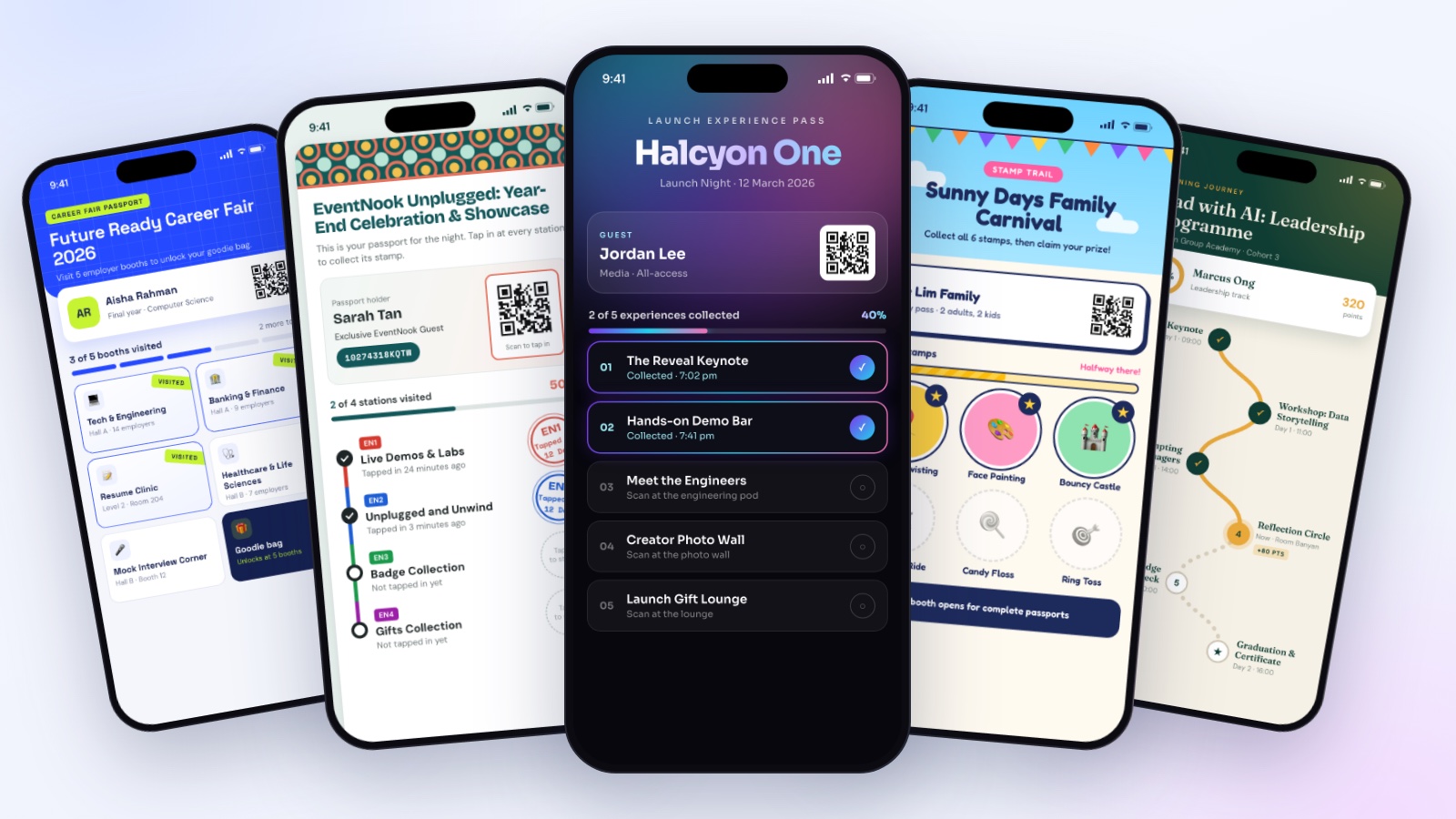
EventNook runs digital passports for corporate clients' events, from client appreciation nights and conferences to learning programmes, family days and product launches. This guide shows six passport designs for six kinds of events, how a passport works on the day, and what you learn from it afterwards.
Why corporate events use digital passports
- Footfall goes where you need it. Sponsors and exhibitors want visitors at every stand, not just the ones near the entrance. A passport gives attendees a reason to reach them.
- Completion is motivating. A board with two stamps left on it is a stronger call to action than any announcement.
- The brand experience carries through. A passport designed in the event's look feels like part of the event, not a form stapled onto it.
- You get real data. Every stamp is a recorded visit, so "did people reach the back of the hall?" has an answer.
How a digital passport works on the day
The passport lives in NookPass, EventNook's attendee app, which opens in the browser with nothing to download. Each station, whether a booth, a session or an activity, is one stamp.
- Attendees open their passport and see every station, what is collected and what is still to do.
- They collect a stamp by scanning. Stand staff scan the attendee's badge QR with a scanner link that needs no account, or attendees scan a rotating self check-in QR on a screen, or a printed code at the stand.
- Progress updates straight away, with points if you use them, and the time of each stamp.
- A completion message tells finishers what happens next, for example where to collect their prize.
You can decide who is eligible for each stamp, for example by ticket type, and whether a stamp can be collected once or several times.
Six passport designs for six kinds of events
The two first designs come from EventNook's own events. The other four are concept designs showing how the same passport adapts to very different audiences.
1. Year-end celebration
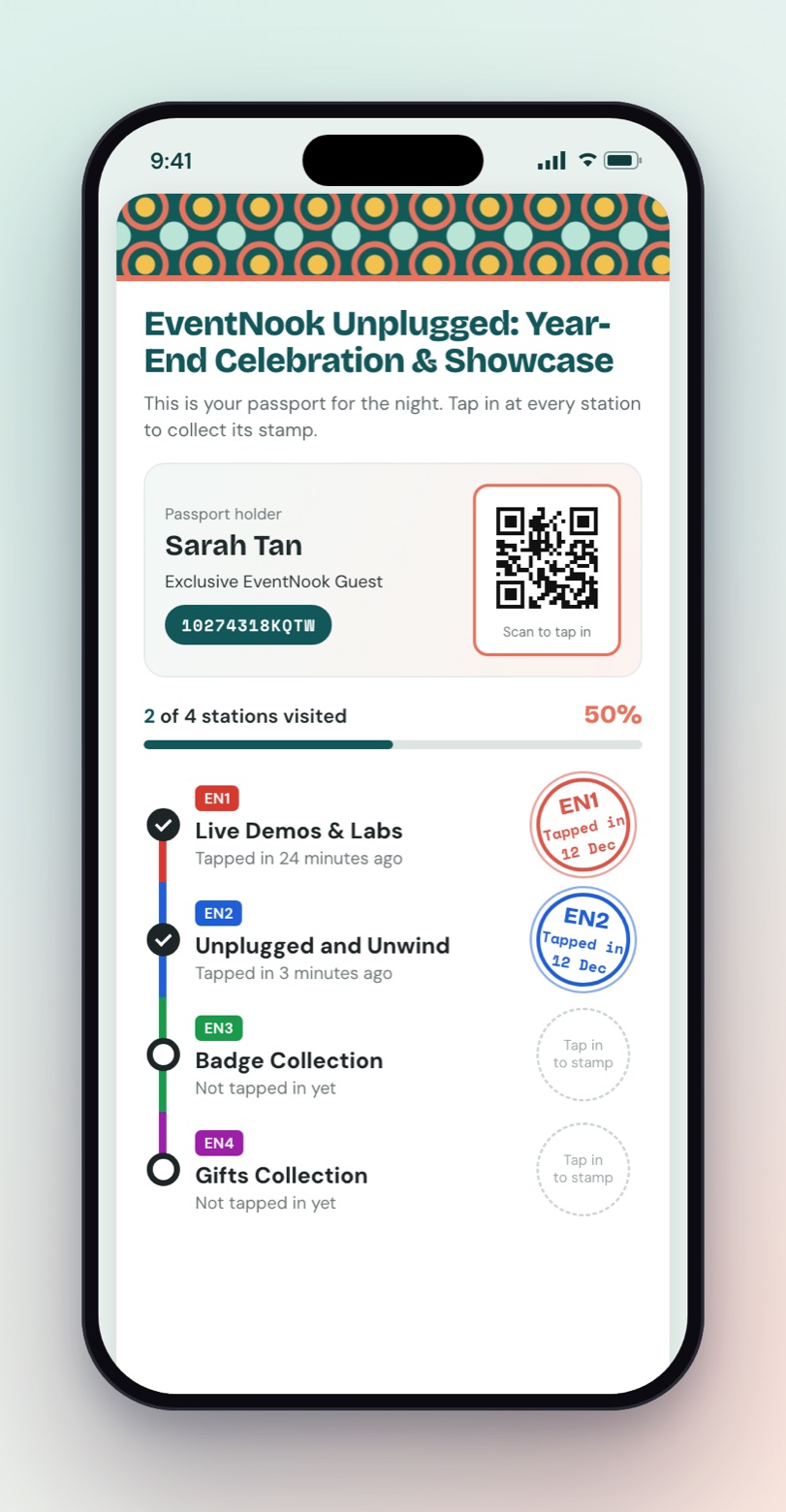
The design: A metro-line route of four stations: live demos and labs, a chill-out zone, badge collection and gifts. Each station has its own colour, and a tap-in stamp lands with the date.
Why it works: Guests tap in at each station on the night, so the route itself pulls people through every part of the venue, from the demo tables to the gift counter.
2. Conference sessions
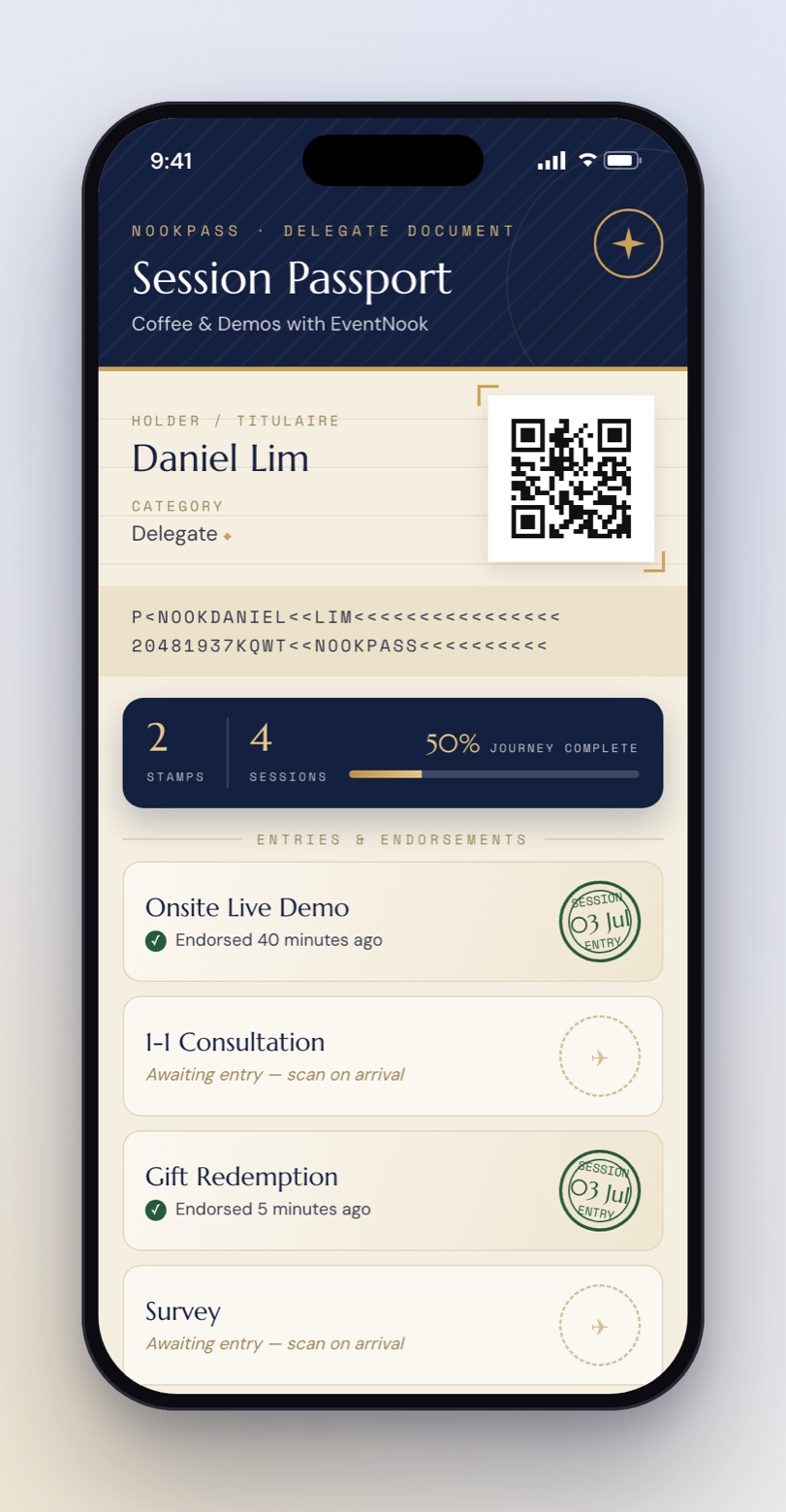
The design: A passport styled as a travel document, with a machine-readable strip, a holder page and "entries and endorsements" stamped at each session.
Why it works: For a programme of demos, one-to-one consultations, gift redemption and a survey, the travel-document look turns a checklist into something delegates want to complete.
3. Career fair
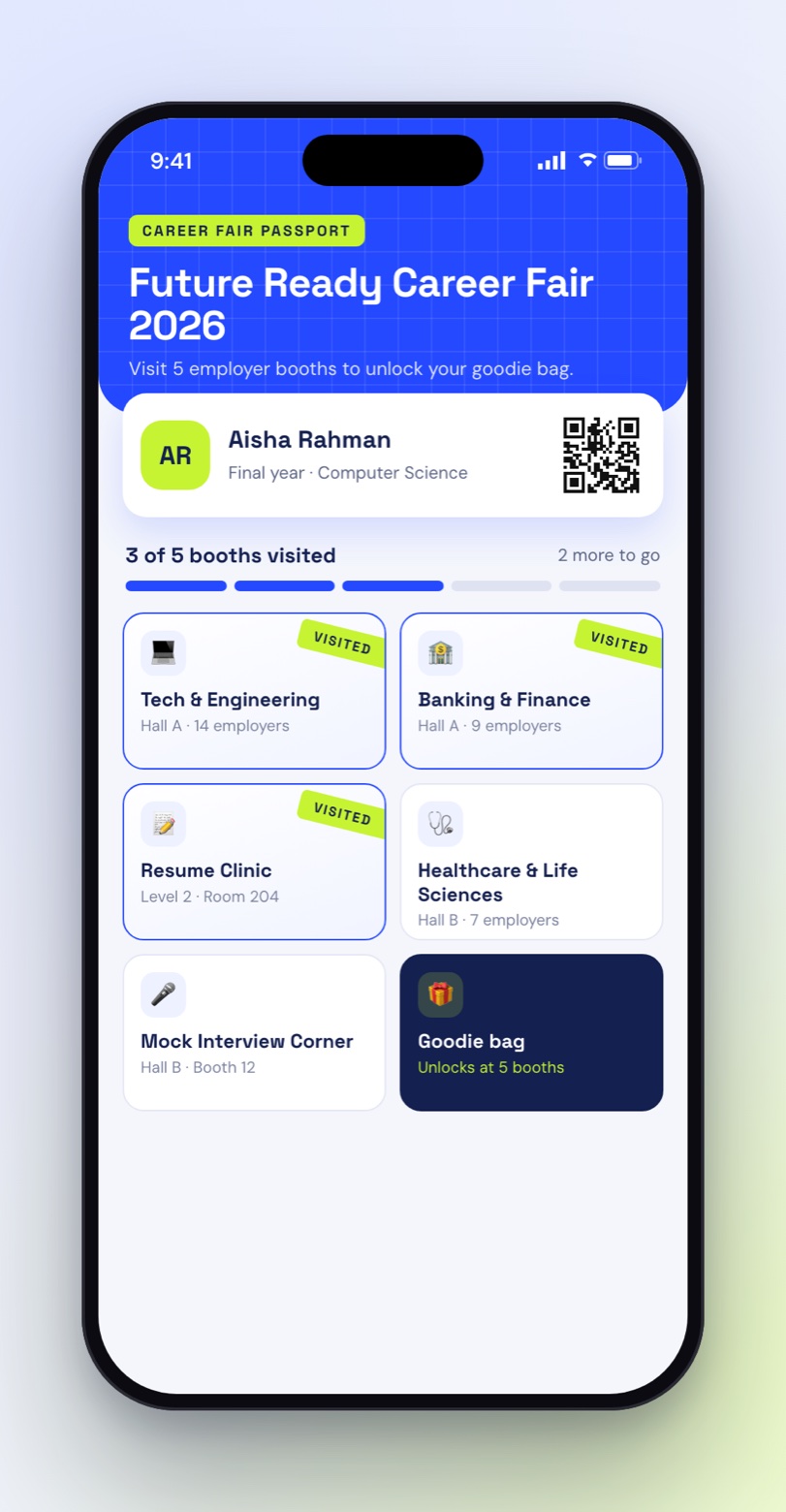
The design: Employer booths and the resume clinic as tiles, with a goodie bag after five visits.
Why it works: Career fairs live or die on whether students get past the first two booths. A visible "3 of 5 booths" counter and a reward at five spreads visits across every employer, which is exactly what exhibitors are paying for.
4. Corporate learning journey
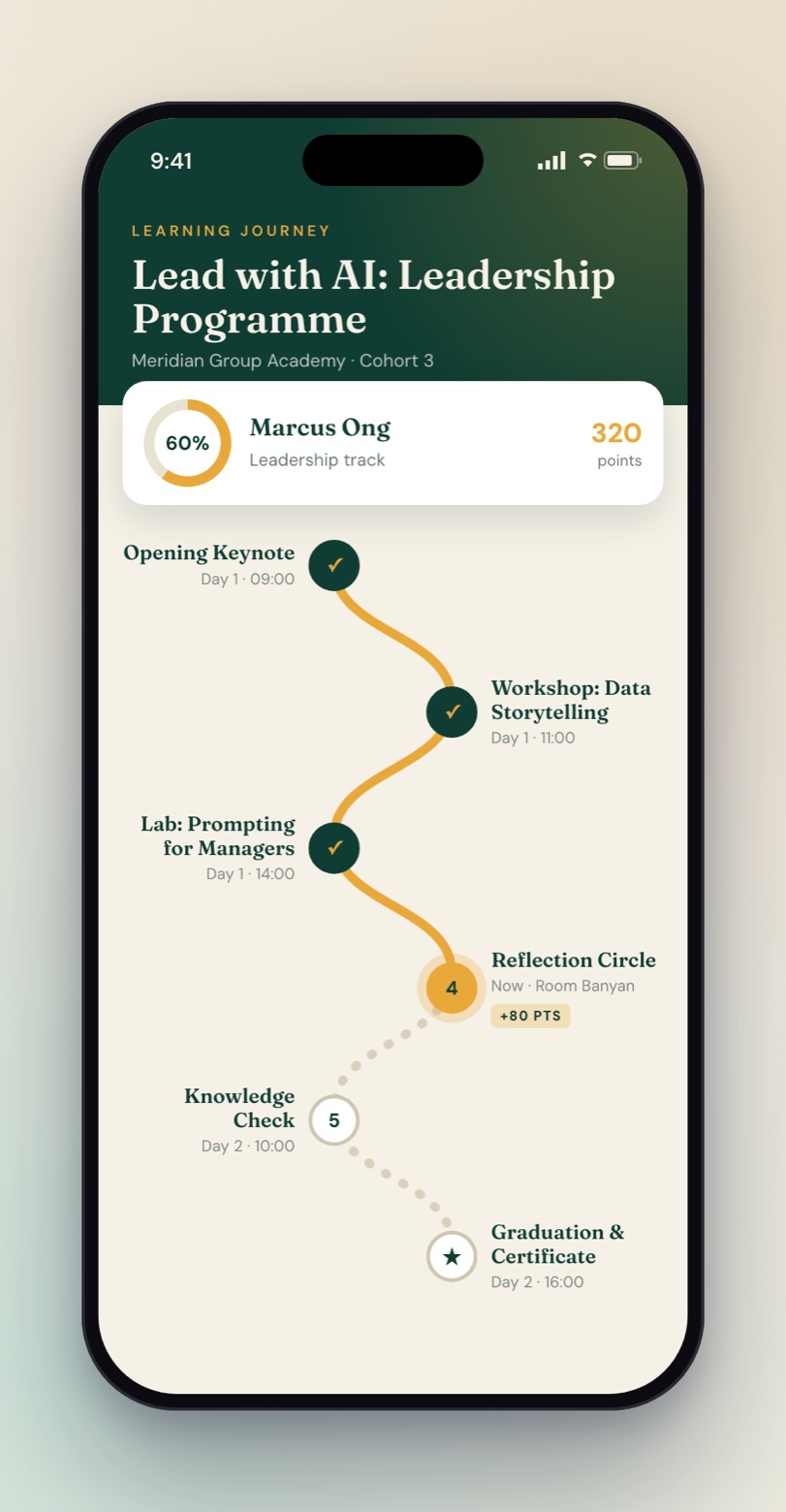
The design: Keynotes, workshops and labs laid out as a path, with points for every session and a progress ring.
Why it works: For leadership programmes and learning festivals, the passport doubles as the agenda and the attendance record: it shows what is next, and HR can see who attended what.
5. Family carnival
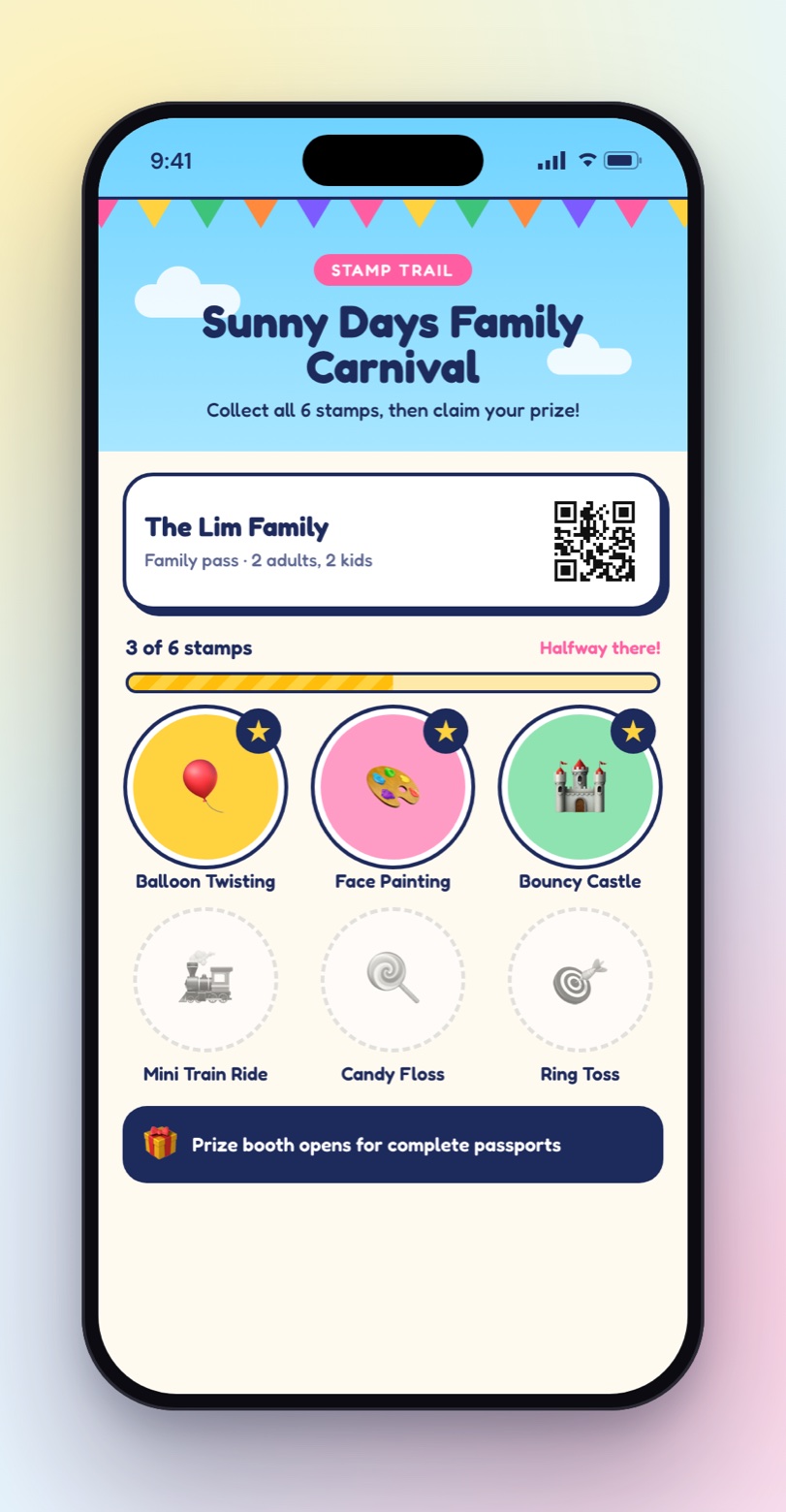
The design: A stamp trail of rides and activities, with the prize booth waiting at the end.
Why it works: Family days and carnivals need something children understand at a glance. Big, colourful stamps per activity give families a plan for the day and spread the queues across every ride.
6. Product launch
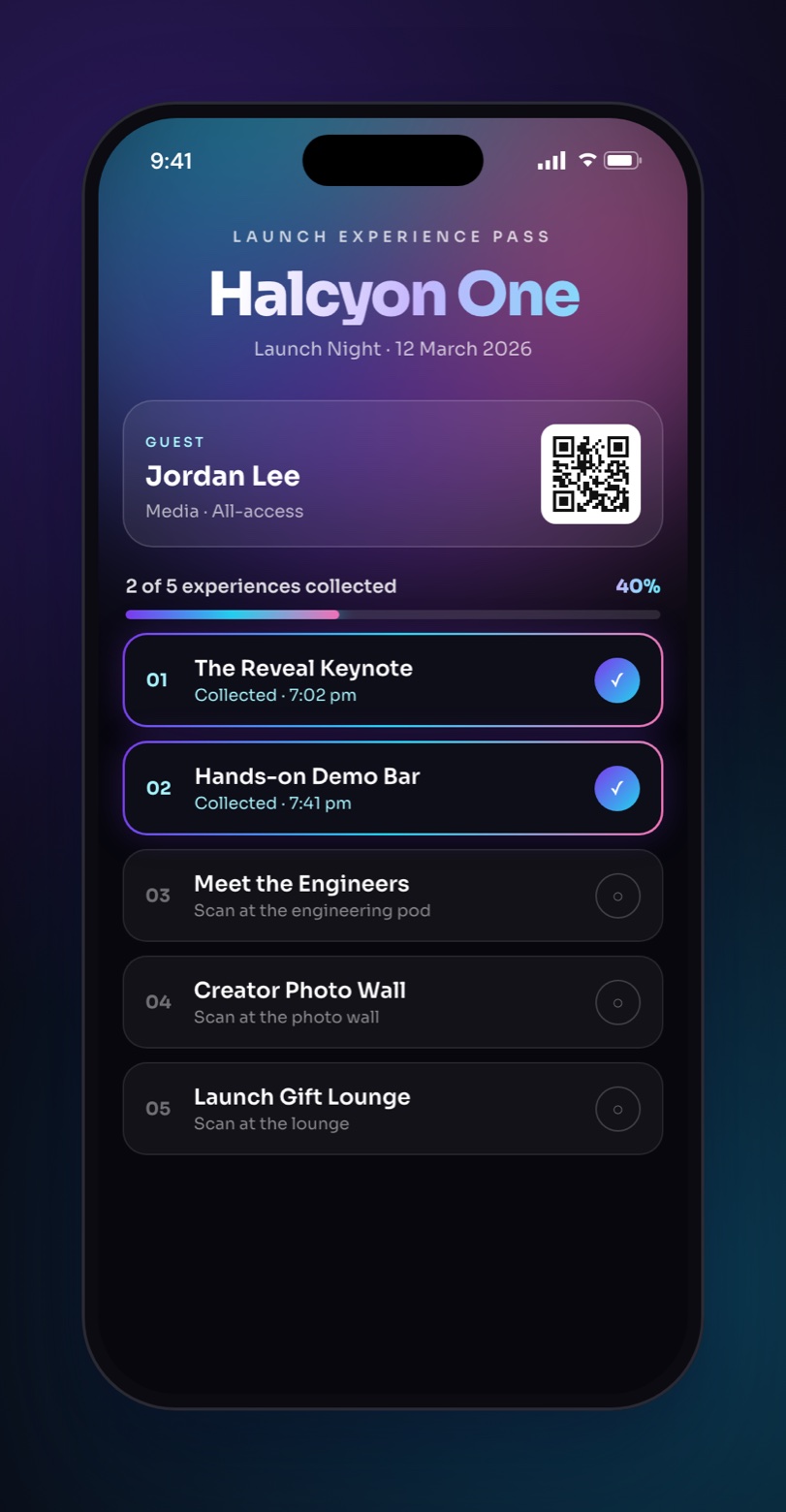
The design: A dark, premium launch pass that collects each experience of the night, from the reveal keynote to the gift lounge.
Why it works: At a launch, the passport is part of the brand moment. It walks guests and media through every experience you built, in the order you want them seen.
Designing a passport that fits your brand
There are three levels of design control, so a passport can be quick to set up or completely bespoke:
- Pick a look. One-tap presets such as Clean, Midnight, Festival, Passport book, Neon, Luxe and Candy set the colours, cards and stamps together.
- Tune it to your brand. Choose a grid, list, stamps or showcase layout, the card style and stamp shape, then your own colours and banner image.
- Design anything. Write the passport as a template with its own stylesheet, or describe the look you want and let Design with AI write the template for you. This is how one passport engine can look as different as the designs above.
The passport sits inside an event app branded the same way, with your colours, fonts and home screen, so the whole experience feels like one event.
What you learn afterwards
Because every stamp is a scan, each station has its own report: total check-ins against unique attendees, the busiest times, how people checked in and the mix of ticket types. Export the participant list to CSV to share with sponsors, exhibitors or HR.
A quick planning checklist
- Choose four to six stations. Fewer feels too easy; many more and people give up.
- Decide the reward and where finishers collect it.
- Decide how stamps are collected at each station: staff scan, self-scan screen or printed code.
- Design the passport in the event's look.
- Brief the stand teams so every station knows how to stamp.
- Announce it at the opening and on screens, and put the passport on the app's home screen.
Digital event passports: common questions
What is a digital event passport?
A digital event passport is a mobile checklist of stations, such as booths, sessions or activities, that attendees complete by collecting a digital stamp at each one. Progress shows on their phone, and a reward or message waits at the end.
How do attendees collect stamps?
Each stamp is collected by a scan. Staff can scan the attendee's badge QR with a scanner link, attendees can scan a rotating self check-in QR shown on a screen, or they can scan a printed code at a stand or door.
Can the passport match our brand?
Yes. Every passport carries the event's own branding: colours, artwork, wording and stamp style. Start from a ready-made look, or have a fully custom design built for the event.
Do attendees need to download an app?
No. The passport sits in NookPass, EventNook's attendee app, which opens in the browser on any phone.
Can we see who visited each station?
Yes. Each station has a report showing check-ins and unique attendees, busy times and how people checked in, and the list of participants can be exported to CSV.
What kinds of events use digital passports?
Exhibitions and trade shows, conferences, career fairs, corporate learning programmes, year-end celebrations, family days and carnivals, and product launches: any event where you want people to visit more than one place.
Plan a passport for your next event
See more designs on the EventNook digital passport page, or talk to our team about a passport designed around your event's brand and journey.