
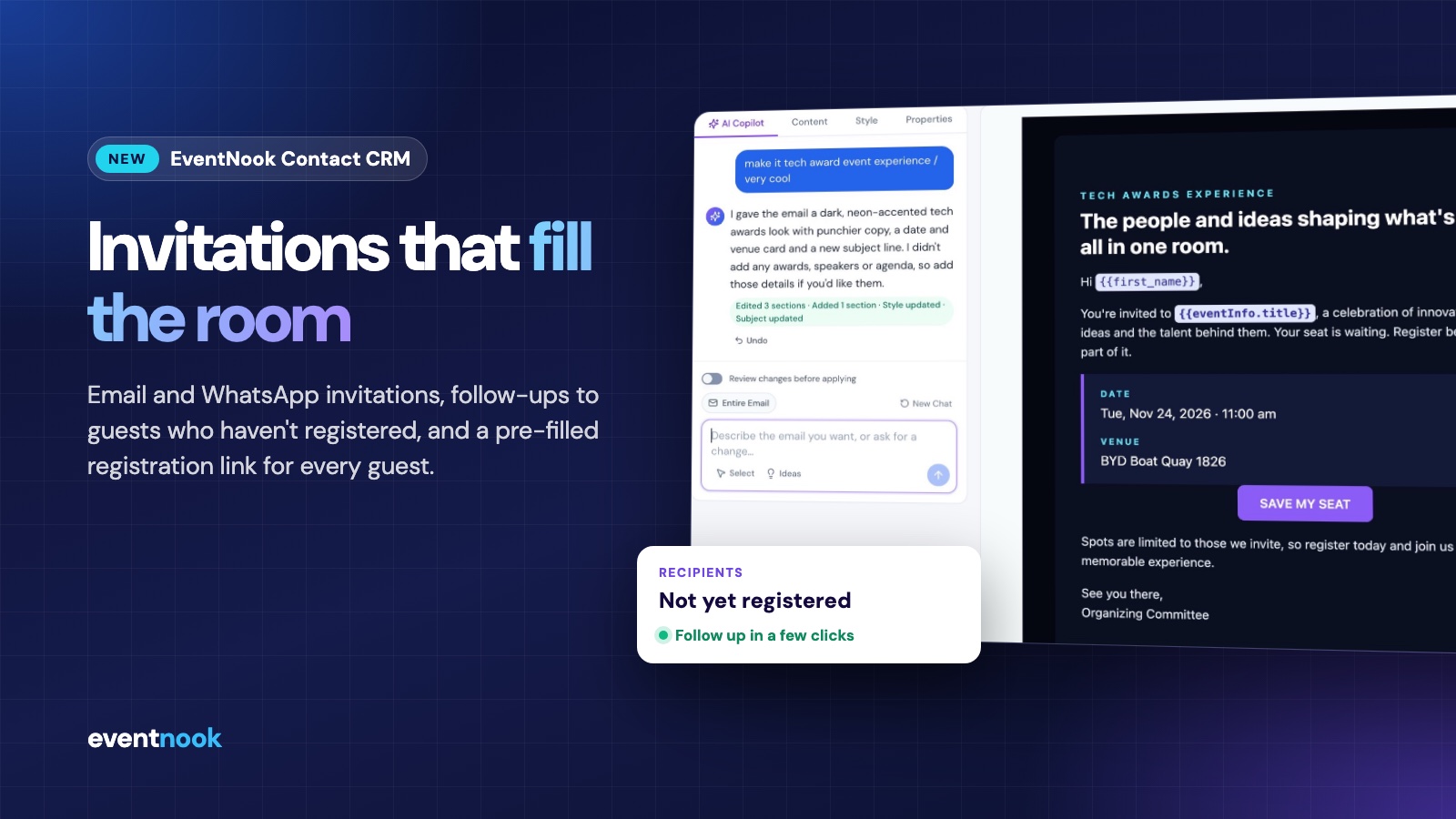
An invitation is where registration starts. Yet for most event teams the guest list lives in one spreadsheet, the invitation goes out from an email tool that knows nothing about the event, and the follow-up means exporting registrations and matching names by hand. Guests then type in details you already had.
Today we're launching EventNook Contact CRM to close that gap. It keeps your contacts, your invitations and your EventNook event registrations in one place, so each invitation is personal, each follow-up goes to the right people, and registering takes a guest a few seconds.
What's in Contact CRM
- Contact groups for members, VIPs, partners or past attendees, each with the fields it needs.
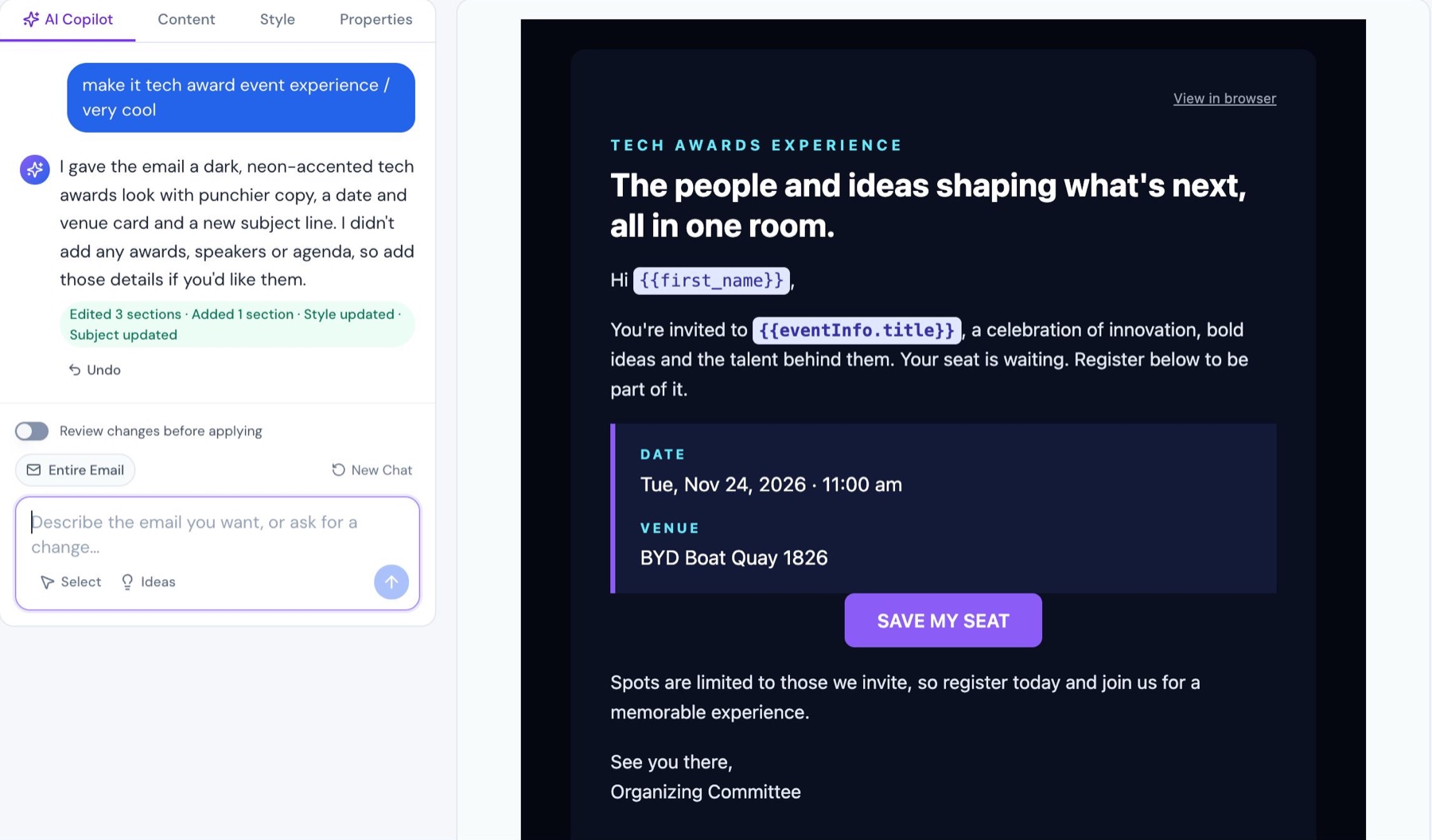
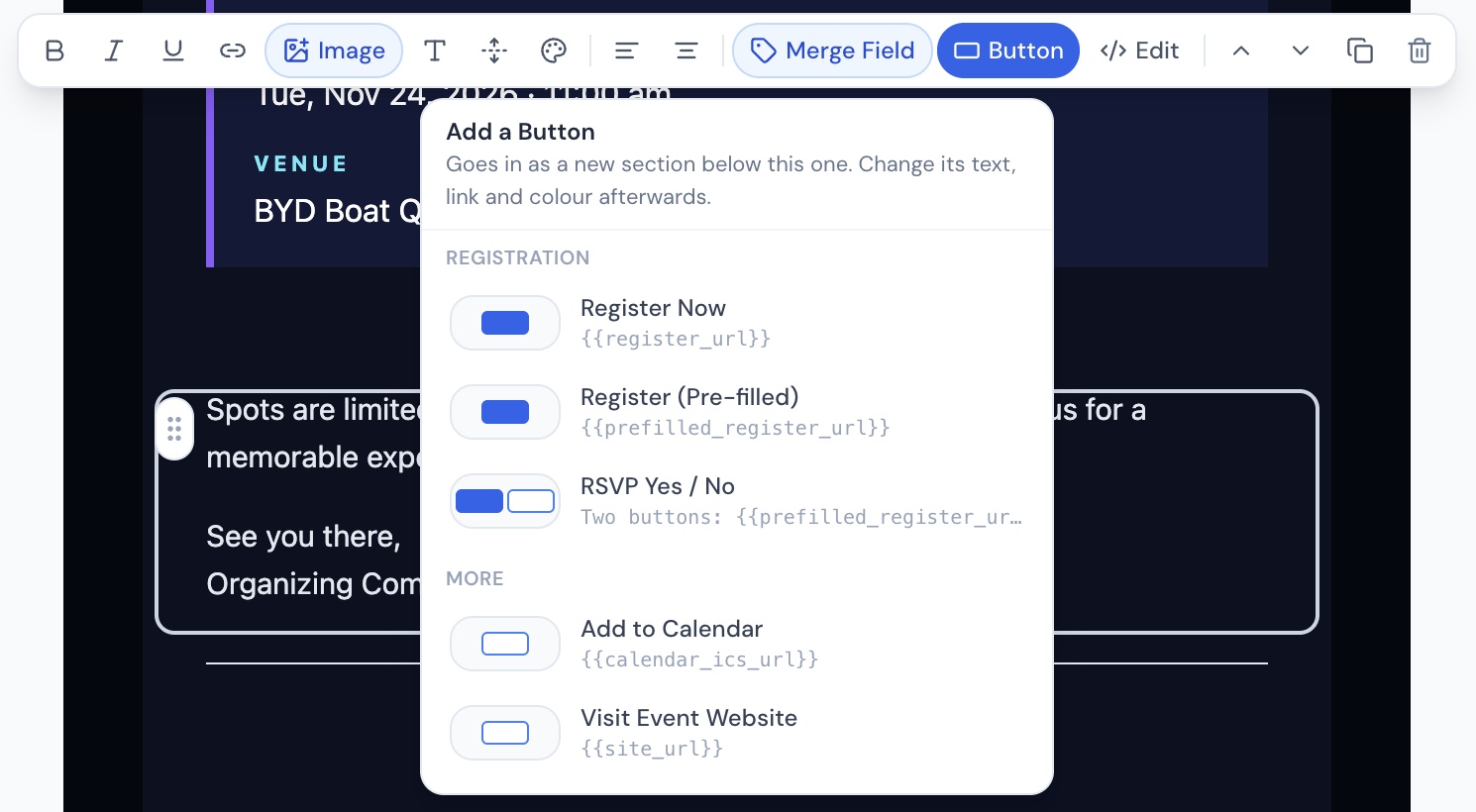
- Email invitations designed with AI Copilot, with merge fields and ready-made registration buttons.
- WhatsApp invitations using approved message templates.
- A unique, pre-filled registration link for every guest and every invitation.
- Follow-ups to "Not yet registered", checked against the event's registrations for you.
- A Registration Summary showing who registered, and whether they came from your invitation.
A registration form that already knows your guest
The feature we're proudest of is the pre-filled registration link. Every guest receives their own link for each invitation. When they open it, your EventNook registration form appears with the details you already hold filled in: name, email, mobile, company, job title and more. Registering becomes a quick check and a click, not a form to fill in from scratch.
- Match Automatically pairs your contact fields with the event's form fields, and you can adjust the mapping.
- Read-only fields keep details such as an email address exactly as you have them.
- Link controls let you choose the ticket type, set an expiry date, and allow one registration per guest or more.
- RSVP Yes or No. "Yes, I'll Attend" opens the pre-filled form; "No, I Can't Make It" records the reply against a Not Attending ticket you choose.
Made for private and invitation-only events
Gala dinners, VIP receptions, member events and executive roundtables run on a known guest list, and the registration should feel as considered as the event. Personal links, details the guest can't change, one registration per guest and a link that expires on the date you choose make the experience tidy and personal. Pair them with your EventNook event's own access settings to keep registration invitation-only.
Follow up only with the people who haven't registered
The first wave of invitations is rarely the last. With Contact CRM, the follow-up doesn't need a spreadsheet: duplicate the invitation, which keeps every setting including the event, choose Not yet registered as the recipients, and send. Contact CRM checks the group's contacts against the event's registrations by email address, so guests who have already registered aren't asked again.
You can also send to everyone in a group, to a filtered list by category, member type, tags or search, or to people you pick one by one, and leave anyone out of a particular send.
Designed with AI Copilot, checked before it goes
Describe the email you want and AI Copilot builds it: the sections, the style and the subject line. Quick starts cover a complete invitation, fixing Outlook display issues, making the email read well on a phone, and tightening the subject line. Changes apply straight away with Undo, or you can review each change and apply or discard it.
Before anything is sent, a review checklist confirms the event, sender, recipients, email and registration link, and flags problems such as a missing registration or unsubscribe link or an unknown merge field. Send a test to yourself, then send immediately or schedule a date and time.
Invitations on WhatsApp too
For many guests, WhatsApp gets read before email. Contact CRM sends WhatsApp invitations through approved message templates, filled in for each contact with their name, the event title and date, and their own pre-filled registration link, plus a Not Attending link. The report shows which messages were sent, delivered, read or failed, alongside guests' replies.
See which invitation brought each registration
The Registration Summary puts your contact group next to the event's registrations: who has registered, who hasn't, and whether each registration came through an invitation or directly. Email reports show delivered, opened, clicked, bounced and unsubscribed for every guest, and both can be exported to CSV.
How an invitation campaign runs
- Event. Pick the EventNook event you're inviting guests to.
- Registration link. Choose the ticket type, expiry, registrations per guest and which details to pre-fill.
- Recipients. Everyone, not yet registered, a filter, or hand-picked contacts.
- Email template (or message for WhatsApp). Design it with AI Copilot and add registration buttons.
- Review and send. Check each part, send a test, then send now or schedule it.
Getting contacts in is just as direct: import a CSV or Excel file and AI suggests how your columns map to contact fields, or paste a list from an email and let Smart Paste pull the contacts out.
Contact CRM: common questions
What is EventNook Contact CRM?
EventNook Contact CRM is the contact list and invitation tool for event organisers. It keeps guests in contact groups, sends email and WhatsApp invitations for EventNook events, gives each guest a unique pre-filled registration link, and lets you follow up only with contacts who haven't registered.
How do I follow up with people who haven't registered?
Duplicate the first invitation, which keeps every setting, and choose Not yet registered in the Recipients step. Contact CRM compares the contact group with the event's registrations by email address and sends only to the contacts who are not on the list yet.
What does a pre-filled registration link do?
Each guest gets a link that is unique to them and to that invitation. It opens the event's EventNook registration form with the details you already hold, such as name, email, mobile, company and job title, filled in. Fields can be made read-only, and registrations through the link are credited to the invitation.
Can I use Contact CRM for a private, invitation-only event?
Yes. Personal links, read-only details, one registration per guest and an optional link expiry date suit events with a known guest list. Keep registration invitation-only with the access settings on the EventNook event itself.
Can invitations be sent on WhatsApp?
Yes. WhatsApp invitations use approved message templates personalised for each contact, and can carry the guest's pre-filled registration link and a Not Attending link. Reports show sent, delivered, read and failed messages, and guests' replies.
See it with your own guest list
Read more about EventNook Contact CRM, or book a demo and we'll walk you through invitations, pre-filled registration links and follow-ups using your own event.