
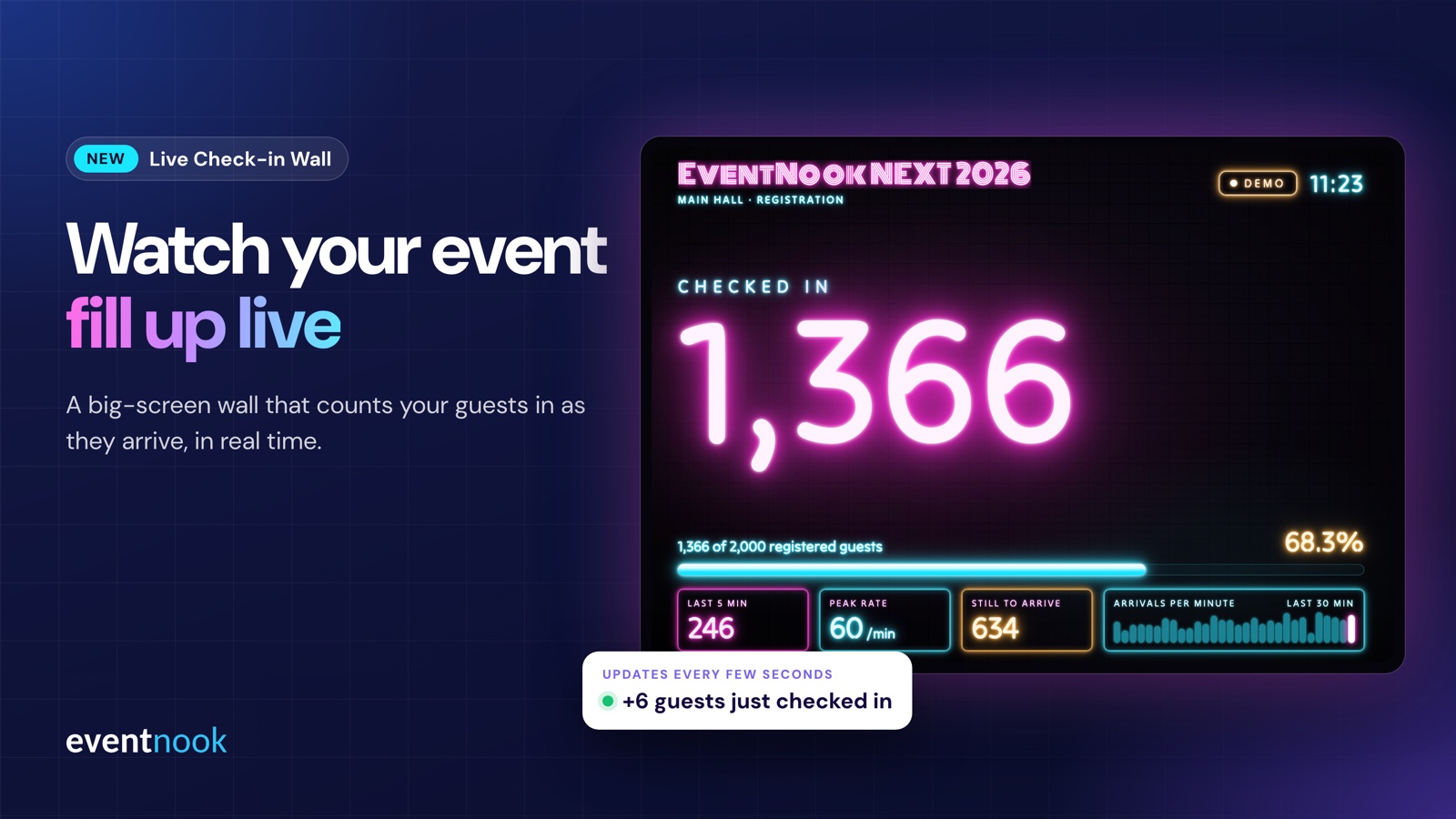
The doors open, the first guests walk in, and for the next hour the question everyone in the room is asking is how many are here? Usually only the team at the registration desk knows. With the Live Check-in Wall, everyone does.
At EventNook, we're always looking for new ways to make your event experience better and more exciting. The Live Check-in Wall is a big-screen display that counts your guests in as they arrive. Every check-in on EventNook check-in adds to a glowing number on the screen, alongside how full the event is, how fast people are arriving and how many are still on their way.
What's on the wall
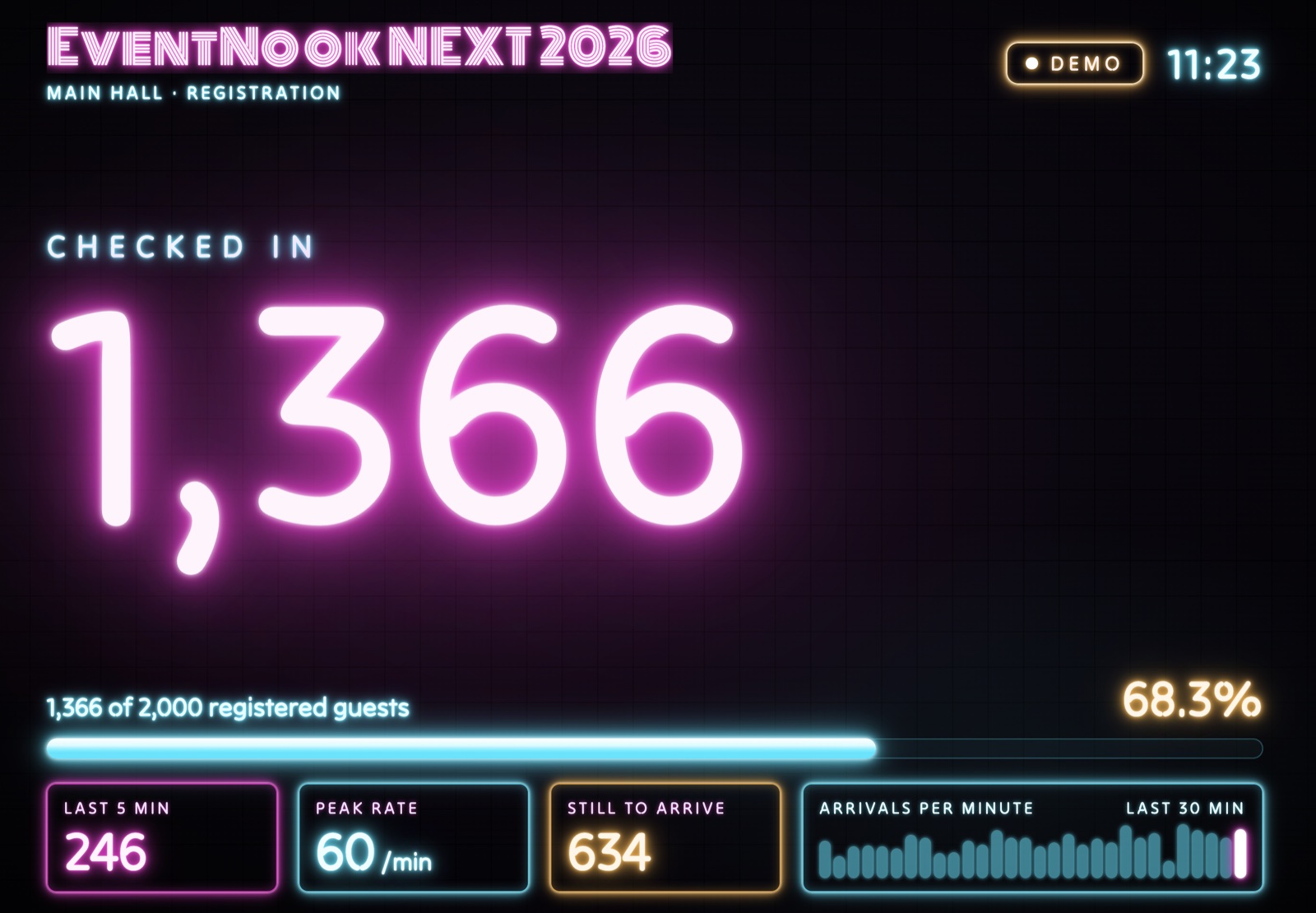
- Checked in. The headline number, big enough to read from across the foyer. It counts up smoothly, and a green "+6" flashes beside it whenever new guests arrive.
- Progress against registrations. "1,366 of 2,000 registered guests", the percentage, and a glowing bar that fills as the room does.
- Last 5 min. How many guests checked in over the past five minutes, so you can see a rush building.
- Peak rate. The most arrivals in a single minute so far.
- Still to arrive. Registered guests who haven't checked in yet.
- Arrivals per minute. A bar chart of the last 30 minutes, with the current minute lit up.
- Your event name and area, such as "Main Hall · Registration", with a clock and a badge that shows the wall is live.
The wall is styled like neon signage on a dark wall, and it flickers on like real neon tubes when the screen starts up. It's made to stand out in a ballroom foyer, and in your event photos.
Why put your check-in count on a big screen
It builds excitement in the foyer
A number that keeps climbing tells arriving guests they're at an event people turned up for. Guests in the queue watch the count pass 1,000, and your emcee has a moment to celebrate.
It helps your team make calls on the day
The wall answers the questions organisers ask every few minutes:
- Should we start the keynote? If the room is only 68% full and arrivals are still strong, hold for five minutes. If the chart is tailing off, start.
- Do we need another counter open? A jump in the last five minutes is the cue to move staff to the registration counters before the queue grows.
- How many are still coming? "Still to arrive" helps with seating, catering and when to release unclaimed seats.
It shows stakeholders the event is working
Your management, your client or your sponsors can see the turnout for themselves, live, without asking the registration team for a number.
Where to put the wall
- The registration foyer. On an LED wall or a large TV where guests in the queue can see it.
- The main hall before the opening. On the stage screens while guests take their seats.
- The ops room or production desk. On a monitor where your event team can keep an eye on arrivals.
How it works
The wall reads your event's check-in numbers from EventNook and refreshes every few seconds. Every guest checked in counts, whether they were scanned at the door, checked themselves in at a kiosk or collected a printed badge.
- Runs on any screen with a web browser: a smart TV, a monitor, or a laptop connected to an LED wall or projector.
- Full screen in one key. Press F, or double-click, to fill the screen.
- Made to run all day. It keeps the screen awake and hides the mouse cursor, so nothing gets in the way.
- Copes with patchy venue Wi-Fi. If the connection drops, the badge changes to "Reconnecting" and the last numbers stay on screen until it's back.
- Numbers only, never names. The wall shows totals and rates, not who checked in, so it's safe to put up in a public space.
Tips for the day
- Test it on the real screen during setup, and check it's readable from where guests will stand.
- Place it where people can see it without blocking the queue. Beside or behind the registration counters works well.
- Give your emcee the milestones. "We've just passed 1,000 guests" is an easy, energising line.
- Put a second screen in the ops room so the team watching arrivals doesn't have to stand in the foyer.
Live Check-in Wall: common questions
What is a live check-in wall?
A live check-in wall is a big-screen display that shows how many guests have checked in to an event, updated in real time, with progress against registrations and the pace of arrivals.
What do we need to run it?
A screen with a web browser and an internet connection: a smart TV, a monitor, or a laptop connected to an LED wall or projector.
How often does it update?
Every few seconds. Each check-in on EventNook shows up on the wall almost straight away.
Does it show attendee names?
No. The wall shows totals and rates only, never who checked in.
What happens if the venue Wi-Fi drops?
The wall shows "Reconnecting" and keeps the last numbers on screen, then carries on when the connection returns.
Can it show our event's name?
Yes. Your event name and the area, such as the hall or registration zone, appear at the top of the wall.
Bring the Live Check-in Wall to your next event
The Live Check-in Wall works with EventNook check-in. Talk to our team about putting one up at your next corporate event.