Stand at a registration desk for an hour and you'll hear the same few questions again and again. Which room is the next session in? Is the keynote still at ten? Where's the nearest MRT? Can I get a visa invitation letter? Who do I talk to about a receipt? The answers usually exist already. They're spread across an agenda tab, an FAQ page, a joining-instructions PDF and an email sent three weeks ago. Attendees don't want to search four places, so they ask a person, and on show day your team has better things to do.
When we introduced NookPass, the idea was that everything an attendee needs travels with them in one app. NookAI Assist takes that one step further: instead of finding the right screen, attendees just ask.
Ask it anything about your event
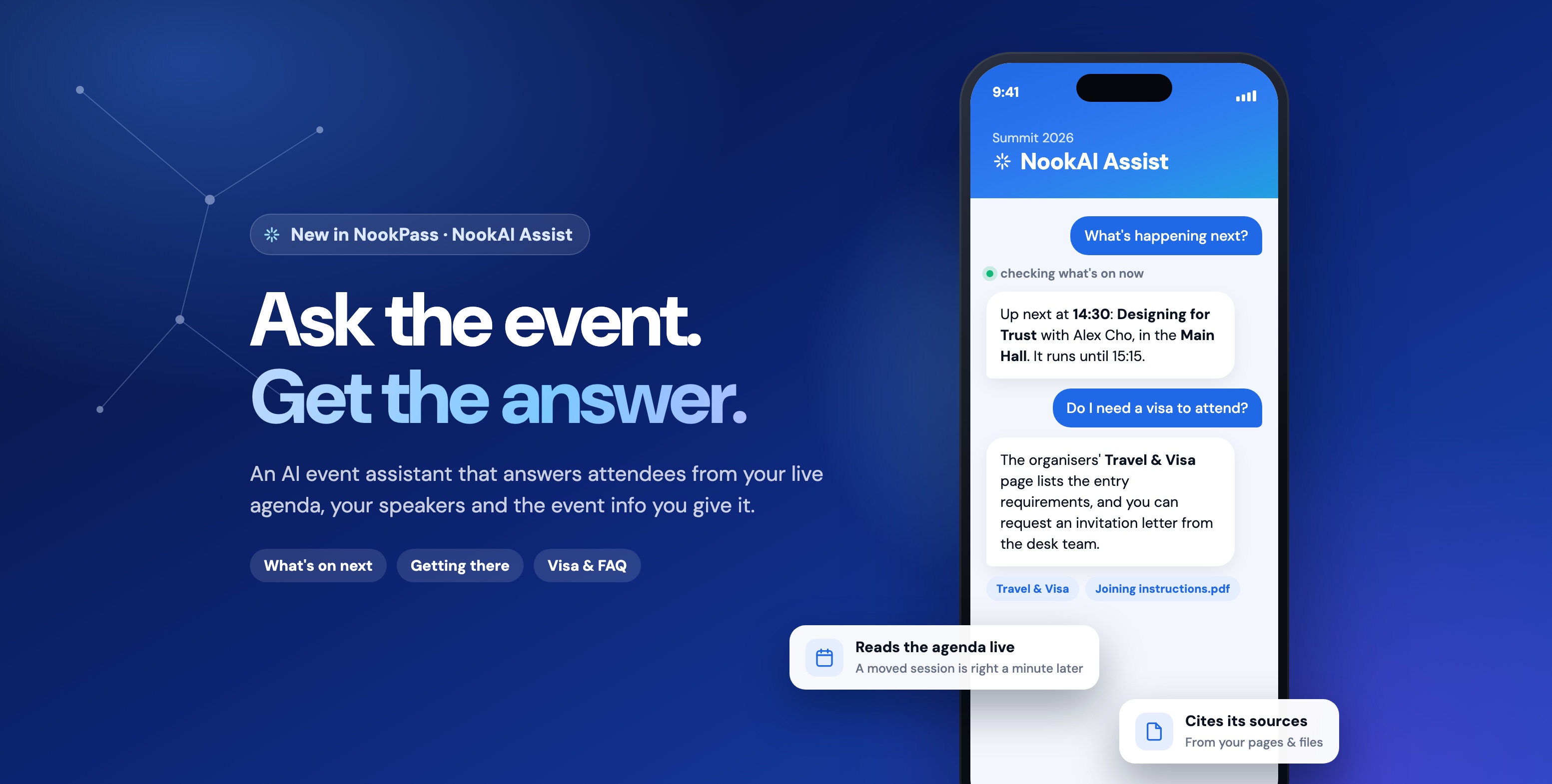
Attendees open NookAI Assist from the app's navigation and see a single prompt: "Ask me about" your event, with a few suggested questions below it. They can type anything else, too. While it works, it shows what it's checking (checking what's on now, looking up speakers, reading the event information), and then the answer streams in.
Try asking
The last one is a question this demo event's organisers never covered. Watch what it does.
Summit 2026
NookAI Assist
Ask me about Summit 2026
Sessions, speakers, directions — whatever you need.
Try it: tap a suggestion on the phone, or a question beside it
Live where it matters: the agenda and speakers
"What's on now?" and "what's next?" are the questions attendees ask most, and they're the ones a generic chatbot gets wrong. A chatbot that learned your programme from a document last week doesn't know the keynote moved rooms this morning.
NookAI Assist doesn't work from a copy of your agenda. When someone asks what's on, it reads the same live sessions and speakers the NookPass app shows, at the moment of the question. It also checks the current date and time in your event's time zone first, so "what's next" means next at your venue, not next wherever the server happens to be. If a session moves at 08:00 on show day, the assistant has the new time at 08:01.
- Now and next: what's running right now and what's coming up, with times and rooms
- Session search: by topic, day, room or track ("anything on sustainability tomorrow?")
- Speaker lookup: by name, company or topic, along with the sessions each speaker is on. Speakers you've hidden stay hidden.
It also always knows the basics: your event's name, dates, venue name and address, and time zone.
Everything else, in your own words
The rest of what attendees ask is local and specific to your event: visas, getting there, food nearby, refunds, dress code, who to email. There's no fixed form to fill in for any of it. Instead, you choose which of your own material the assistant may answer from:
App Pages
The pages already in your app
Your FAQ, Getting There, Travel & Visa and venue pages. Tick the ones it can use.
Documents
PDFs you've already shared
Joining instructions, a delegate handbook, a hotel and transport guide, straight from your Documents library.
Knowledge files
Notes just for the assistant
Write a quick note, or upload a PDF or Markdown file, for things you know but haven't published anywhere.
Here's how the questions from the registration desk map onto that:
| What attendees ask | Where NookAI Assist finds the answer |
|---|---|
| What's on now or next? Which room? | Your agenda, read live |
| Who's speaking, and about what? | Your speakers, read live |
| Where is it? How do I get there? Where do I park? | The event's venue details, plus a Getting There page |
| Do I need a visa? Can I get an invitation letter? | A Travel & Visa page, or your visa guidance PDF |
| Where can I eat nearby? Is there a pharmacy? | A local-information note |
| Refunds, dress code, Wi-Fi, a lost badge | Your FAQ page |
| Who do I contact about ___? | A contacts note, or your instructions, e.g. "for anything about invoices, point people at finance@…" |
| Anything you haven't covered | Your own "When it doesn't know" line |
Each knowledge file can be marked Attendees only (the default) or Public. Anyone can open the assistant, but people who haven't signed in only get answers from Public material, so a hotel discount code or an internal contact stays with your registered attendees.
Setting it up: one screen called "What it knows"
For organisers, NookAI Assist is an add-on app in the NookPass admin, and all of its setup is on one page. It starts switched off, and it never sees anything you don't select.
Assistant
What it knows
Pick the content the assistant may answer attendees from. Anything you don't select here, it doesn't see.
Read live always current
Instructions
When it doesn't know
Indexed Sync now
- Switch it on. The Event assistant toggle lets attendees ask questions and get answers from the content you've selected.
- Choose what it reads. Agenda and speakers are read live and on by default. Then tick your App Pages and Documents, and add any knowledge files.
- Give it a voice. Instructions set how it sounds and where to send people, e.g. "keep it brief, and send sponsorship questions to partners@…". You can also write a When it doesn't know line in your own words.
- Sync. Changes to pages, documents and files reach the assistant when you press Sync now. Agenda and speaker changes need no sync.
- Test it. The Preview panel lets you ask questions yourself, even against instructions you haven't saved yet, and nothing you ask there is logged.
- Put it in the app. Add NookAI Assist to the app's navigation as its own tab, inside a tab group, or as a quick action on the home screen.
Built not to make things up
A wrong answer about a room or a visa is worse than no answer at all, so NookAI Assist is built to be cautious:
It checks before it answers
Every answer comes from a lookup against your agenda, speakers or selected material, never from what the model happens to remember.
It never invents the details that matter
No made-up times, rooms, prices, names or addresses. If part of an answer is missing, it says which part it doesn't know.
It falls back to your words
When the answer isn't in your material, it gives your "When it doesn't know" line. If you haven't written one, it points people to the organisers.
It shows its sources
Answers drawn from your pages and documents list them underneath, and attendees can tap through to read the page or document.
It stays on topic
It politely declines questions that aren't about your event and suggests what it can help with instead. Your instructions can shape its tone, but they can't override these rules.
It answers in the attendee's language
It replies in whatever language the question was asked in, which helps at regional events with delegates from many countries.
Answers are also kept short, usually two or three sentences, because people are reading them on a phone between sessions.
What it means on show day
For attendees
- One place to ask, instead of four places to search
- Answers that match the programme as it stands right now
- Travel, visa and local tips in their own language
For your team
- Fewer repeat questions at the registration and help desks
- A schedule change reaches the assistant the moment you save it
- Contact routing you control: invoices to finance, sponsorship to partnerships
Common questions
Does NookAI Assist make things up?
It's built not to. It looks things up before every answer, won't invent a time, room, price, name or address, and says which part it doesn't know when something is missing. When your material doesn't cover a question, it gives your own fallback line.
What exactly can it answer from?
Your live agenda and speakers, your event's name, dates, venue and time zone, and whichever App Pages, Documents and knowledge files you select. It doesn't currently answer from exhibitor listings, the floor plan or announcements, so put anything attendees will ask about those into a page or note.
How quickly does it pick up changes?
Agenda and speaker changes are reflected immediately, because those are read live. Changes to pages, documents and knowledge files take effect after you press Sync now.
Is it safe to let an AI answer visa questions?
It only repeats what your own material says, so the answer is as good as your Travel & Visa page. Keep that page accurate, link to the official immigration sources, and say how to request an invitation letter. Anything it can't find gets your fallback line instead of a guess.
Can people who haven't signed in use it?
Yes, but they only get answers from material you've marked Public. Knowledge files are Attendees only by default.
What languages does it support?
It replies in the language the question was asked in.
Can we test it before attendees see it?
Yes. The assistant is off until you switch it on, and the Preview panel lets you ask it questions first, including against instructions you haven't saved yet.
How do we get it for our event?
NookAI Assist is part of NookPass. Request a demo and we'll set it up against your own agenda and event information.
Try it
The best test is your own event's questions. Bring your agenda and your FAQ, and we'll show you what NookAI Assist does with them.
Request a demo · See NookAI Assist · Read the NookPass introduction